
Safety, health and environment records for every site you run
HSEntra keeps incidents, inspection findings, training, PPE issues, scheduled waste, SHE spending and follow-up tasks in one place. Each organisation sees only its own sites, and the year's summary is ready when someone asks for it.
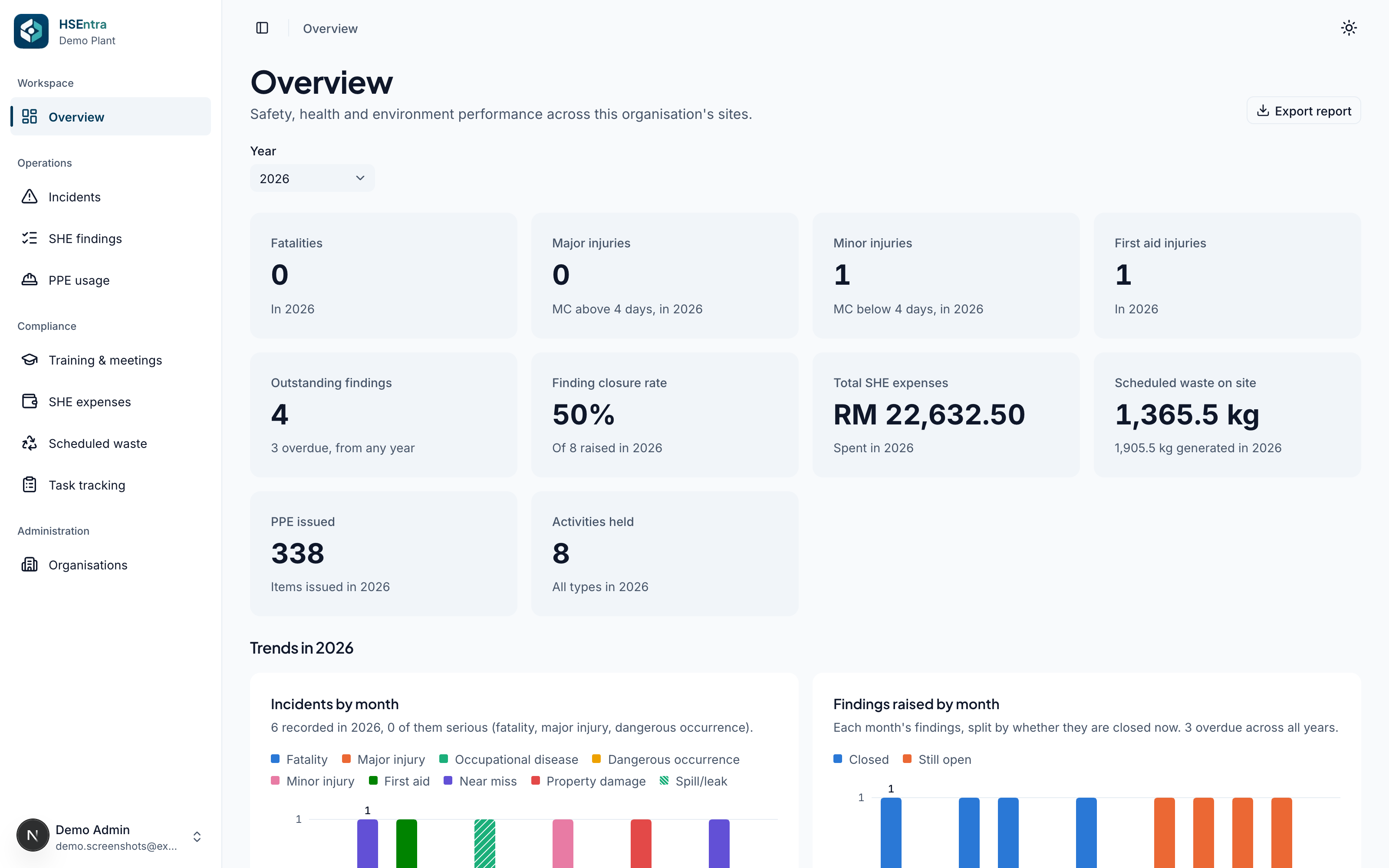
Built from the SHE dashboard workbook
HSEntra started from the spreadsheets an SHE team already keeps: the dashboard workbook with its monthly summaries, and the yearly expenses file. Each module follows the columns of those sheets.
That means an export opens in Excel looking like what you had before, and an exported file can be filled in and imported back.
Seven kinds of record, each with its own reference
Incidents
Log what happened, where and when, from near misses and first aid cases to fatalities, spills and property damage. Each incident moves from open to under investigation to closed, and keeps its closing date.
Findings
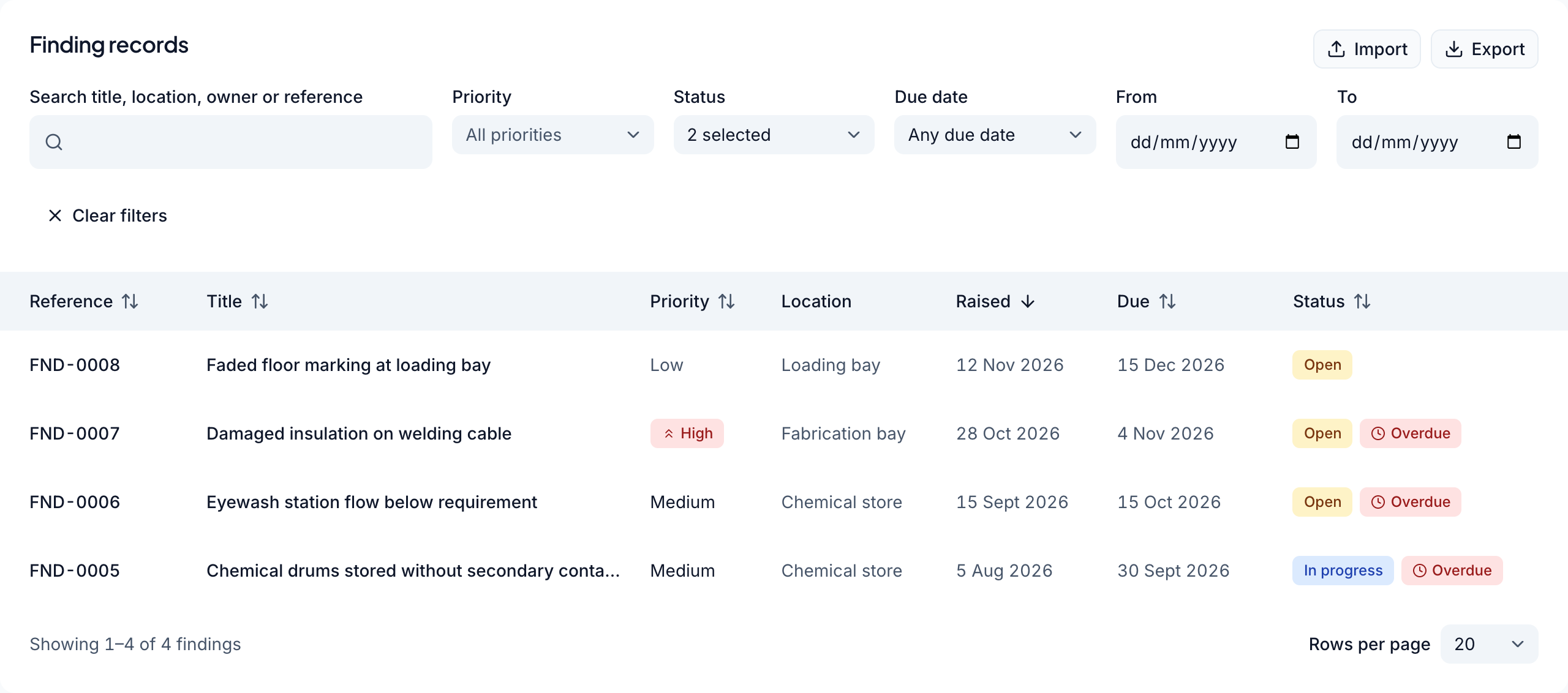
Raise the unsafe conditions and non-compliances found during inspections. Give each one a priority, an action owner and a due date. An open finding past its due date shows as overdue, and it can only be closed once the corrective action is written down.
- TSK-0001Tasks
- Issue a task to a person in charge with a due date. HSEntra marks it on track, due within 7 days, due today or overdue, and keeps the day the PIC responded and the day it was completed.
- ACT-0001Activities
- Training by internal or external providers, briefings and toolbox talks, monitoring and assessment, SHE quarter meetings and programmes, each with its facilitator and headcount.
- PPE-0001PPE issues
- How many of each item went out, on which day and to whom, summarised by month in the same item order as your dashboard.
- SW-0001Scheduled waste
- Waste generated and disposed of, in kilograms, by First Schedule code. Disposals carry the consignment note number and the contractor who collected them.
- EXP-0001Expenses
- SHE spending in ringgit by category (PPE, Bomba, scheduled waste, assessment and monitoring, air compressor, others) and by area, safety and health or environment, with vendor and invoice number.
From your old sheets to a year you can report on
Set up your organisation and its sites
An admin creates the organisation and adds its sites. People added to the organisation see its sites, and nobody else does.
Bring in the records you already have
Download a module's import template, fill it in from your old sheets and upload it, up to 1,000 rows per file. The template uses the same columns as the export.
Record things as they happen
Every record gets its own reference, like INC-0001 or TSK-0001, the moment it is saved, so a finding can be quoted in a meeting and found again later.
Review the year and export it
The overview brings every module together for one site or all of them, year by year. Export the overview or any module's list to Excel.
Ask for a walkthrough
Tell us how many sites you look after and which records you keep today. We reply by email or WhatsApp.